Project Overview
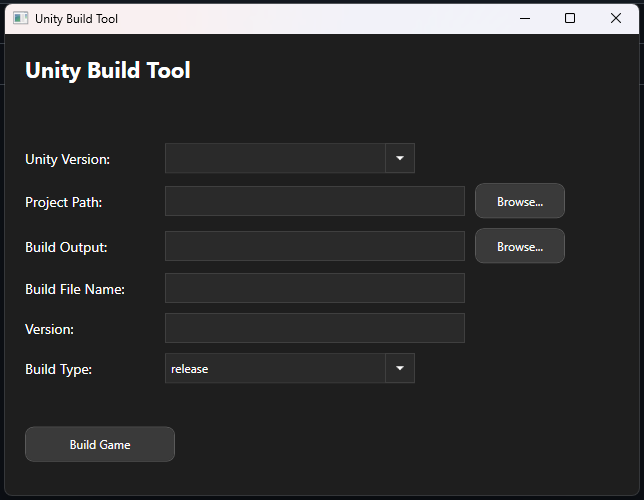
The goal of this tool was to make Unity build creation faster and more convenient by allowing a build to be triggered from a standalone desktop application instead of through the Unity Editor itself.
It was built as a WPF project in Visual Studio and works alongside a small file placed inside the Unity project so the build process can be triggered correctly.
At the moment, the tool is focused on PC builds, but it was designed in a way that can be extended further with additional features or platform support.
Key Features
- Create Unity PC builds without opening the Unity Editor
- Built as a WPF desktop tool in C#
- Designed to improve repetitive build workflows
- Works alongside a helper file inside the Unity project
- Expandable foundation for future additions
- Supports Unity icon generation and project insertion
How It Works
The tool runs as a standalone executable and communicates with a Unity project through a required file placed inside the project itself. This lets the build workflow happen without launching the editor manually.
One current limitation is that the same Unity editor version cannot already be open while the build is being created. Even with that limitation, the tool is useful for speeding up specific build tasks and reducing manual editor steps.
Icon Generation Feature
A later addition to the tool allows Unity icons to be generated and inserted into the project without needing to open the editor. This extends the tool beyond build creation and moves more repetitive project setup work into the external utility.
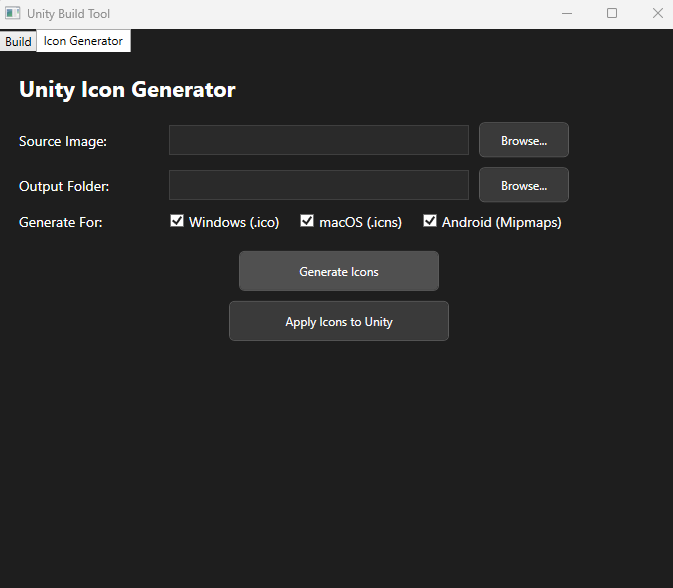
The latest changes and updates for this feature can be found in the GitHub repository.
What This Project Demonstrates
- Workflow automation: Moving repetitive Unity tasks outside the editor.
- Desktop tooling: Building a dedicated WPF utility around Unity workflows.
- Practical utility: Solving a real development problem with a standalone app.
- Extensibility: Adding extra features like icon generation over time.