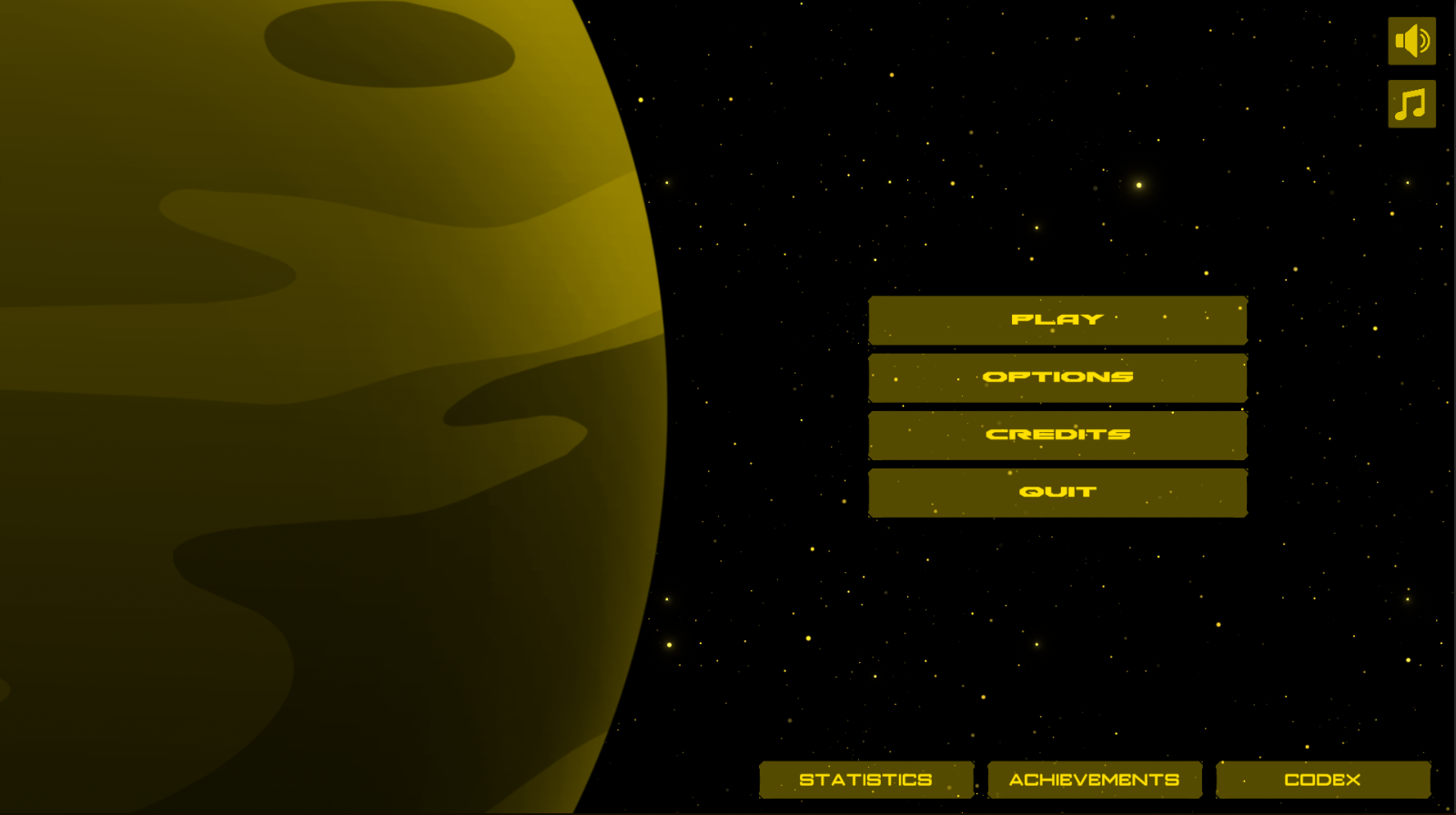
Project Overview
In this project, the player controls a small spacecraft and gathers resources by mining asteroids, fighting enemy waves, and surviving long enough to upgrade their ship and station.
The long-term goal is to progress through increasingly dangerous space zones, strengthen the player build over multiple runs, and eventually defeat the Chief.
This page highlights some of the core systems currently implemented, along with selected code examples that show how the project is being structured in Unity and C#.
Key Features
- Roguelite combat and progression loop
- Asteroid mining and resource collection
- Enemy wave spawning and boss encounters
- Achievement and stats tracking systems
- JSON save/load architecture
- Custom Unity tooling for faster iteration
- Designer-friendly wave setup using ScriptableObjects
- Token-based combat pressure control for enemy attacks
Gameplay Media
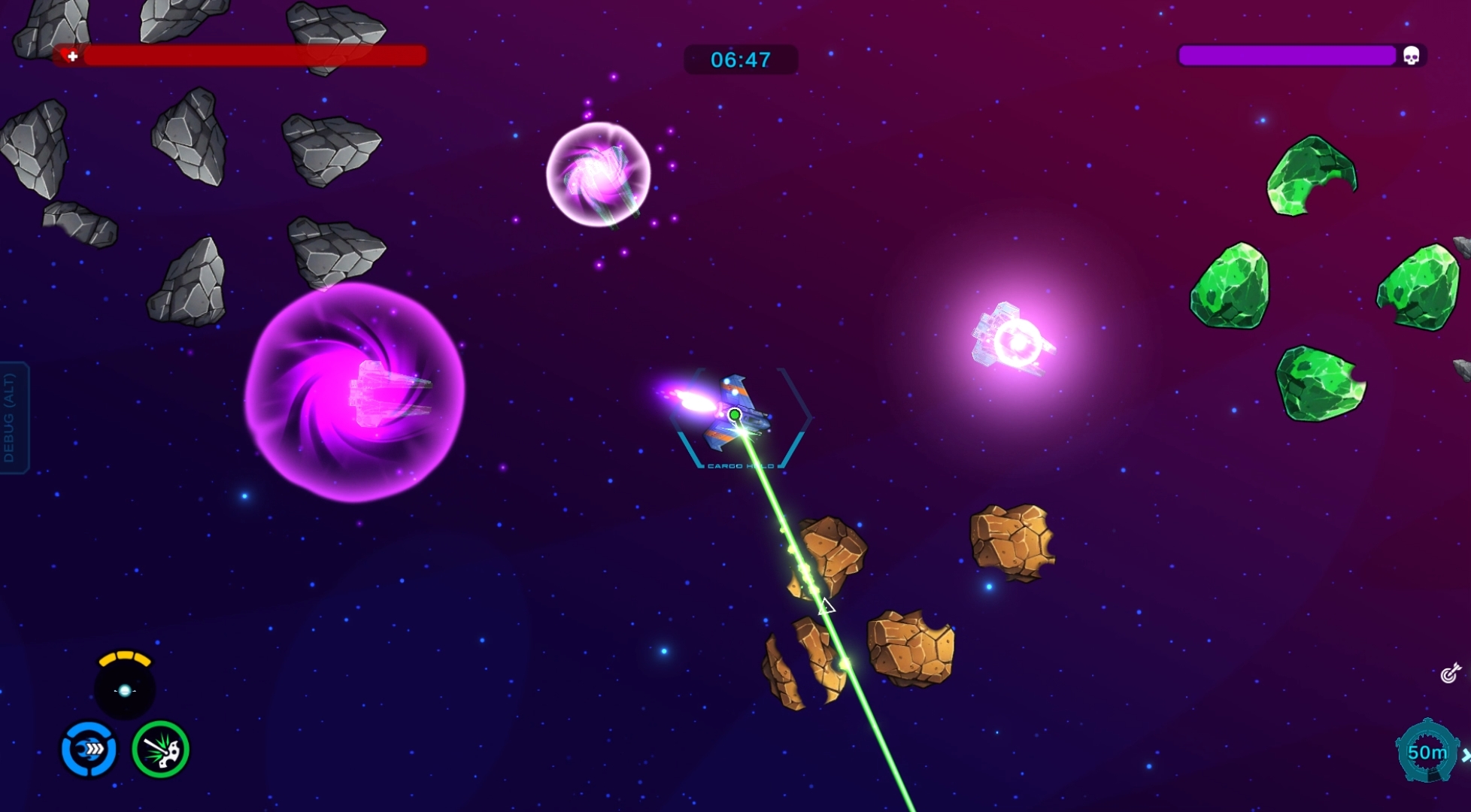
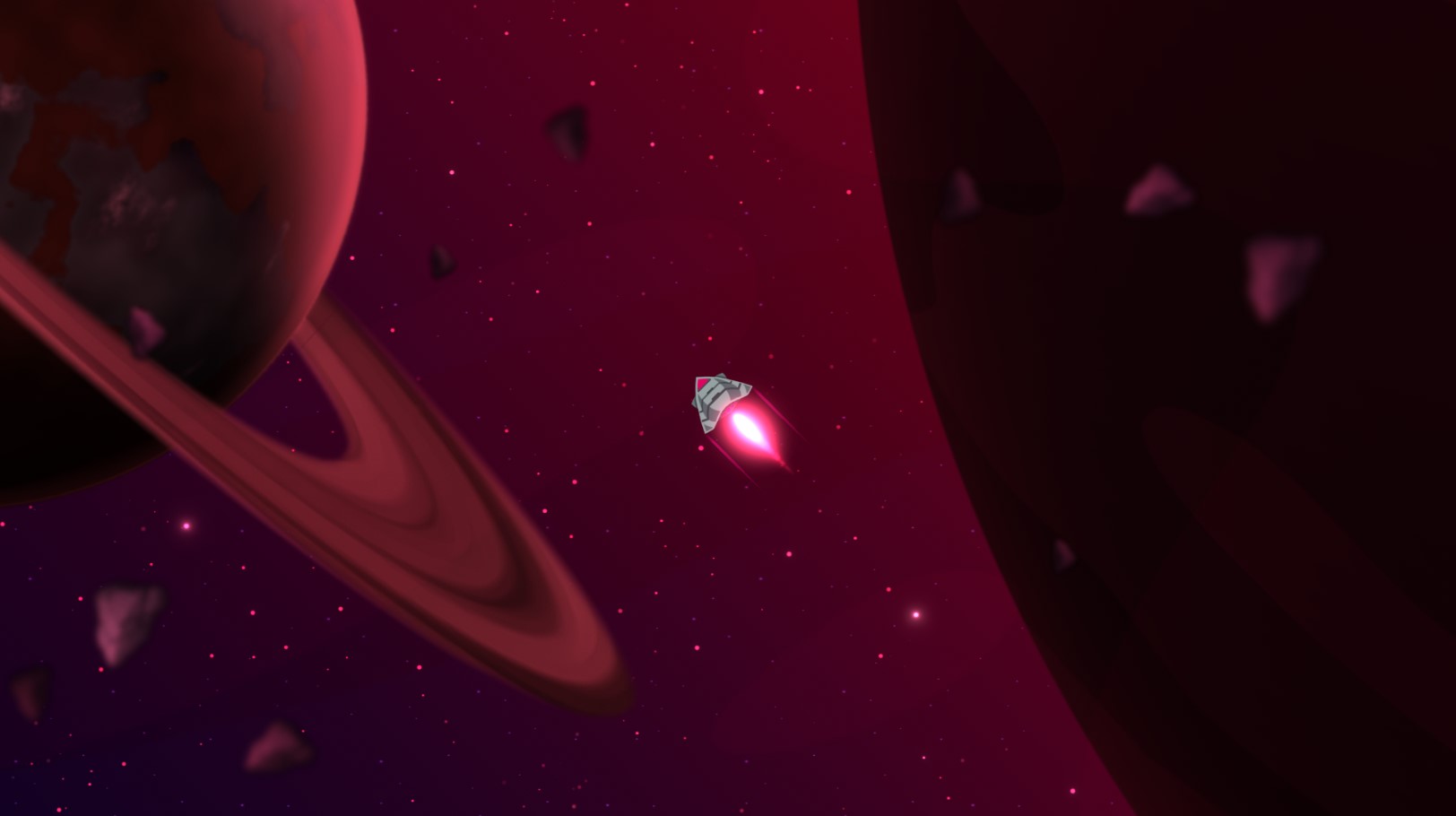
Early gameplay screenshots and footage showing mining, combat, and biome progression.
Core Systems
Below are selected technical systems from the project, along with short explanations and representative code examples.
This system tracks player milestones and unlock conditions across runs. It supports queued notifications, local unlock logic, and a structure that can be extended for platform-specific achievement integration later.
The implementation also supports linked unlock rewards such as skills or tutorial prompts, making the system useful for both progression and onboarding.
using DangryGames;
using UnityEngine;
using UnityEngine.SocialPlatforms.Impl;
using UnityEngine.UI;
#if PLATFORM_ANDROID
using GooglePlayGames;
#endif

[CreateAssetMenu(fileName = "Achievement", menuName = "Achievement", order =1)]
public class Achievement: ScriptableObject
{
    public AchievementInfo achievementInfo;
    public PermaSkills _linkedSkillToUnlock;
    public TutorialNotification _tutorialNotification;

    public bool UnlockAchievement(Achievement achievementPassed, int total, uint hash = 0)
    {
        if (Check(total, achievementPassed.achievementInfo.total, (int)achievementPassed.achievementInfo.check))
        {
            AddToQue(achievementPassed);
        }

        return false;
    }

    public bool Check(int total, int target, int check)
    {
        switch (check)
        {
            case 0: return (total < target);
            case 1: return (total <= target);
            case 2: return (total == target);
            case 3: return (total >= target);
            case 4: return (total > target);
        }

        return false;
    }

    public bool AddToQue(Achievement achievement)
    {
        if (IsAchievementUnlocked(achievement)) return false;

        UnlockingAchievement(achievement);
        return true;
    }

    private bool IsAchievementUnlocked(Achievement achievement)
    {
        return achievement.achievementInfo.unlocked;
    }

    private bool UnlockingAchievement(Achievement achievement)
    {
        if (!achievement.achievementInfo.unlocked)
        {
            achievement.achievementInfo.unlocked = true;

            if (GameManager.Instance != null)
            {
                GameManager.Instance._achievementNotificationController.AddToQueue(achievement);

                if (_linkedSkillToUnlock != null)
                {
                    _linkedSkillToUnlock.UnlockSkill();
                    _linkedSkillToUnlock.AddSkillToUnlockedList();
                    SaveData.Instance.SaveSkillsToJson();
                }
            }

            SaveData.Instance.SaveAchievementsToJson();
            return true;
        }

        return false;
    }
}using DangryGames;
using System.Collections.Generic;
using UnityEngine;
public class AchievementNotificationController : MonoBehaviour
{
public Queue<Achievement> notifications;
public AchievementNotification achievementNotification;
float m_hold_timer;
List<Achievement> notificationList;
private void Awake()
{
notifications = new Queue<Achievement>();
notificationList = new List<Achievement>();
}
public void AddToQueue(Achievement achivement)
{
notificationList.Add(achivement);
notifications.Enqueue(achivement);
}
private void Update()
{
if (m_hold_timer > 0)
{
m_hold_timer -= Time.deltaTime;
if (notifications.Count > 0)
achievementNotification.Reset();
return;
}
if (notifications.Count <= 0)
{
if (notificationList.Count > 0)
{
UnlockPlatformAchievement(notificationList);
}
return;
}
Achievement notification = notifications.Peek();
if (notification && achievementNotification.UpdateAchievement(notification))
{
if (notification._tutorialNotification != null)
{
TutorialPopup.Instance.Init(notification._tutorialNotification, true);
}
notifications.Dequeue();
achievementNotification.gameObject.SetActive(false);
}
}
public void UnlockPlatformAchievement(List<Achievement> achievements)
{
achievements.Clear();
}
}This save/load system serialises gameplay data from ScriptableObjects into JSON, allowing progression, achievements, settings, tutorials, unlocks, and player data to persist across sessions.
Because Unity ScriptableObjects do not map directly to JSON in a convenient way, I use explicit wrapper and data-transfer classes to define exactly what gets written to disk and restored on load.
I also plan to improve data protection further by adding stronger encryption in a later pass.
using UnityEngine;
using System.IO;
using System.Collections.Generic;

namespace DangryGames
{
    public class SaveData : MonoSingleton<SaveData>
    {
        [SerializeField] private List<PermaSkills> _permaSkillsList;
        [SerializeField] private List<Achievement> _achievementList;
        [SerializeField] private StatsSO _statSO;

        public void SaveSkillsToJson()
        {
            List<SavingPlayerSkills> savingDataList = new List<SavingPlayerSkills>();

            foreach (var skill in _permaSkillsList)
            {
                SavingPlayerSkills savingData = new SavingPlayerSkills
                {
                    _skillName = skill._skillName,
                    _uniqueID = skill.UniqueID,
                    _currentLevel = skill._currentSkillLevel,
                    _startingValue = skill._startingValue,
                    _skillType = (int)skill._skillType,
                    _isUnlocked = skill._isUnlocked,
                    _currentValue = skill._currentvalue
                };

                savingDataList.Add(savingData);
            }

            string skillData = JsonUtility.ToJson(new SavingWrapper { _skills = savingDataList });
            string filePath = Application.persistentDataPath + "/SkillData.json";
            File.WriteAllText(filePath, skillData);
        }

        public void LoadSkillsToJson()
        {
            string filePath = Application.persistentDataPath + "/SkillData.json";

            if (File.Exists(filePath))
            {
                string skillData = File.ReadAllText(filePath);
                SavingWrapper loadedDataWrapper = JsonUtility.FromJson<SavingWrapper>(skillData);

                foreach (SavingPlayerSkills data in loadedDataWrapper._skills)
                {
                    PermaSkills skill = _permaSkillsList.Find(s => s._skillName == data._skillName);
                    if (skill != null)
                    {
                        skill._currentSkillLevel = data._currentLevel;
                        skill._startingValue = data._startingValue;
                        skill._skillType = (PermaSkills.SkillType)data._skillType;
                        skill._isUnlocked = data._isUnlocked;
                        skill._currentvalue = data._currentValue;
                    }
                }
            }
        }
    }

    [System.Serializable]
    public class SavingPlayerSkills
    {
        public string _skillName;
        public string _uniqueID;
        public int _currentLevel;
        public float _startingValue;
        public int _skillType;
        public bool _isUnlocked;
        public float _currentValue;
    }

    [System.Serializable]
    public class SavingWrapper
    {
        public List<SavingPlayerSkills> _skills;
    }
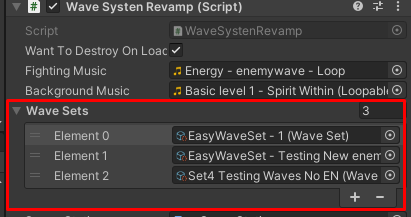
}This system controls the timing, quantity, and composition of enemy waves and bosses in each level. One of the main goals of this rewrite was to make wave editing more designer-friendly and much faster to iterate on in the Unity editor.
In the earlier version, setup involved a large and fiddly editor with many dropdowns and manual configuration steps. In the updated version, wave content is broken into simpler reusable assets:
- Wave definition: min/max enemies and enemy types stored in a ScriptableObject
- Wave set: an ordered list of waves that can be combined into level progression
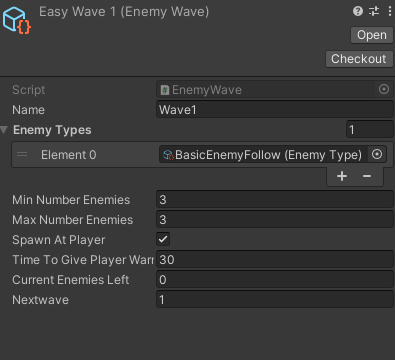
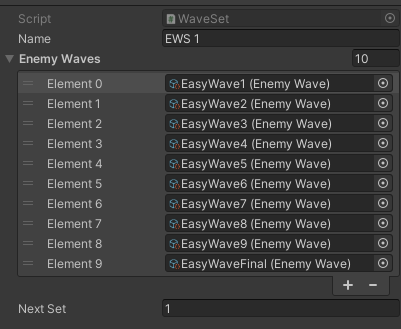
This makes enemy wave iteration faster, cleaner, and easier to maintain as more enemies and content are added.
using UnityEngine;
using TMPro;
using UnityEngine.UI;
using System;
using Random = UnityEngine.Random;

namespace DangryGames
{
    [System.Serializable]
    public class EnemyToSpawn
    {
        public EnemyType _enemyTypesToSpawn;
    }

    public class WaveSystenRevamp : MonoSingleton<WaveSystenRevamp>
    {
        public WaveSet[] _waveSets;
        private WaveSet _currentWaveSet;
        private int _currentWaveSetNumber;
        private int _currentWaveNumber;
        private int _waveSetsCount;

        private float _runTime;
        private float _timerMax;
        private float _warningTime;
        private float _timeBetweenEnemiesSpawning = 0.2f;
        private float _resetTimeBetweenEnemiesSpawning = 0.2f;
        private float _enemiesLeftToSpawn;

        [SerializeField] private BoolVariable _autoSwitchFireMode;
        [SerializeField] private AudioSource _audioSource;
        [SerializeField] private bool _canFillEnemyTimer = true;
        public Image _enemyTimerFillBar;

        private void Start()
        {
            _waveSetsCount = _waveSets.Length;
            _currentWaveSet = _waveSets[0];
            _currentWaveSetNumber = 0;
            _currentWaveNumber = 0;
            _timerMax = 20f;
            _warningTime = _timerMax / 2;
            ResetTimerAndBar();
            _wantToDestroyOnLoad = true;
        }

        private void Update()
        {
            if (!GameManager.Instance._pauseManager._IsPaused)
            {
                if (_canFillEnemyTimer)
                {
                    _runTime += Time.deltaTime;

                    if (_runTime < _timerMax && Tracker.Instance._AliveEnemies.Count == 0)
                    {
                        float fillAmount = _runTime / _timerMax;
                        _enemyTimerFillBar.fillAmount = Mathf.Clamp01(fillAmount);
                    }
                    else if (_runTime > _timerMax)
                    {
                        int rand = Random.Range(
                            _currentWaveSet._enemyWaves[_currentWaveNumber]._minNumberEnemies,
                            _currentWaveSet._enemyWaves[_currentWaveNumber]._maxNumberEnemies
                        );

                        _enemiesLeftToSpawn = rand;
                        _canFillEnemyTimer = false;
                    }
                }

                if (!_canFillEnemyTimer && !GameManager.Instance._BossIsSpawned)
                {
                    _timeBetweenEnemiesSpawning -= Time.deltaTime;
                    if (_timeBetweenEnemiesSpawning <= 0 && _enemiesLeftToSpawn > 0)
                    {
                        RunWave();
                    }
                }
            }
        }

        private void RunWave()
        {
            int randEnemy = Random.Range(0, _currentWaveSet._enemyWaves[_currentWaveNumber]._enemyTypes.Count);

            if (_enemiesLeftToSpawn > 0)
            {
                EnemyType et = _currentWaveSet._enemyWaves[_currentWaveNumber]._enemyTypes[randEnemy];
                SpawnEnemy(et);
                _enemiesLeftToSpawn--;
                _timeBetweenEnemiesSpawning = _resetTimeBetweenEnemiesSpawning;
            }
        }

        private void ResetTimerAndBar()
        {
            _runTime = 0;
            _enemyTimerFillBar.fillAmount = 0;
            _canFillEnemyTimer = true;
        }

        private void SpawnEnemy(EnemyType enemyType)
        {
            GameObject go = Instantiate(enemyType._enemyPrefab, Vector3.zero, Quaternion.identity);
            go.SetActive(true);
        }
    }
}I built this editor tool to reduce repetitive setup when creating new scripts and ScriptableObjects in Unity. It speeds up prototyping by generating common script types, namespaces, inheritance patterns, and asset menu metadata from a single interface.
- MonoBehaviour classes with optional namespaces
- Regular C# classes with optional constructors
- Derived classes using drag-and-drop parent selection
- Interfaces
- ScriptableObjects with file and menu name setup
using UnityEngine;
using UnityEngine.UIElements;
#if UNITY_EDITOR
using UnityEditor;
using UnityEditor.UIElements;
using System.IO;

namespace DangryGames.Generator
{
    public class GeneratorEditor : EditorWindow
    {
        VisualElement _container;
        TextField _txtScriptName;
        TextField _pathName;
        TextField _folderName;
        TextField _soFilename;
        TextField _soMenuname;
        Toggle _toggleNameSpace;
        TextField _nameSpace;
        ObjectField _baseClassName;
        Toggle _baseClassConstructor;
        Button _classBtn;
        Button _monoBtn;
        Button _derivedBtn;
        Button _interfaceBtn;
        Button _soBtn;
        Label _warningLbl;

        private Button[] _buttonArray = new Button[5];
        string _currentSelectedBtn = "";
        bool _needConstructor;

        public const string _assetPath = "Assets/DangryGames/Generator/Editor/EditorWindow/";

        [MenuItem("DangryGames/Script Generator")]
        public static void ShowWindow()
        {
            GeneratorEditor window = GetWindow<GeneratorEditor>();
            window.titleContent = new GUIContent("Script Generator");
            window.minSize = new Vector2(600, 600);
        }

        private void CreateGUI()
        {
            _container = rootVisualElement;
            VisualTreeAsset visualTree = AssetDatabase.LoadAssetAtPath<VisualTreeAsset>(_assetPath + "GeneratorEditor.uxml");
            _container.Add(visualTree.Instantiate());

            StyleSheet styleSheet = AssetDatabase.LoadAssetAtPath<StyleSheet>(_assetPath + "GeneratorEditor.uss");
            _container.styleSheets.Add(styleSheet);

            _txtScriptName = _container.Q<TextField>("txtScriptName");
            _pathName = _container.Q<TextField>("pathName");
            _nameSpace = _container.Q<TextField>("nameSpace");

            _monoBtn = _container.Q<Button>("monoBtn");
            _classBtn = _container.Q<Button>("classBtn");
            _derivedBtn = _container.Q<Button>("derivedBtn");
            _interfaceBtn = _container.Q<Button>("interfaceBtn");
            _soBtn = _container.Q<Button>("soBtn");

            _monoBtn.clicked += () => SelectType("monoBtn", 0);
            _classBtn.clicked += () => SelectType("classBtn", 1);
            _derivedBtn.clicked += () => SelectType("derivedBtn", 2);
            _interfaceBtn.clicked += () => SelectType("interfaceBtn", 3);
            _soBtn.clicked += () => SelectType("soBtn", 4);
        }

        private void SelectType(string currentBtn, int indexInArray)
        {
            _currentSelectedBtn = currentBtn;
        }

        public void CreateBasicScript(string path)
        {
            string filePathName = path + _txtScriptName.value + ".cs";

            if (File.Exists(filePathName))
            {
                _warningLbl.text = "File already exists";
                return;
            }

            // generation logic trimmed for display
            AssetDatabase.Refresh();
        }
    }
}
#endifThis system controls how many enemies are allowed to attack at the same time, helping manage combat pressure and readability during fights.
The idea was inspired by token-based enemy pressure systems used in action games. My implementation is a simplified version that currently allows a limited number of enemies to fire simultaneously, with future plans to scale this by difficulty.
using UnityEngine;
using System.Collections.Generic;
using System;

namespace DangryGames
{
    public class TokenManager : MonoSingleton<TokenManager>
    {
        public enum AttackToken
        {
            Normal,
            Special
        }

        public Dictionary<AttackToken, int> _tokenCounts;

        private void Start()
        {
            _wantToDestroyOnLoad = true;
            _tokenCounts = new Dictionary<AttackToken, int>();

            foreach (AttackToken token in Enum.GetValues(typeof(AttackToken)))
            {
                _tokenCounts[token] = 5;
            }
        }

        public void StartAttack(AttackToken token)
        {
            RemoveToken(token);
        }

        public void RemoveToken(AttackToken token)
        {
            _tokenCounts[token]--;
        }

        public void EndAttack(AttackToken token)
        {
            ReplenishToken(token);
        }

        public void ReplenishToken(AttackToken token)
        {
            _tokenCounts[token]++;
        }

        public void ResetTokenCountWhenAllEnemiesAreDead()
        {
            _tokenCounts[AttackToken.Normal] = 5;
        }
    }
}private bool IsTokenAvailable(TokenManager.AttackToken token)
{
switch (token)
{
case TokenManager.AttackToken.Normal:
return _normalTokens > 0 && TokenManager.Instance._tokenCounts[token] > 0;
case TokenManager.AttackToken.Special:
return _specialTokens > 0 && TokenManager.Instance._tokenCounts[token] > 0;
default:
return false;
}
}
private void FireWeapon(TokenManager.AttackToken token)
{
if (!IsTokenAvailable(token)) return;
switch (token)
{
case TokenManager.AttackToken.Normal:
_normalTokens--;
_hasAttackToken = true;
break;
case TokenManager.AttackToken.Special:
_specialTokens--;
_hasAttackToken = true;
break;
}
TokenManager.Instance.StartAttack(token);
Vector3 targetPos = GameManager.Instance.ReturnPlayerTransform().position;
Vector2 direction = (targetPos - _firePos.position).normalized;
direction += EnemyAimError(_accuracy);
float angle = Mathf.Atan2(direction.y, direction.x) * Mathf.Rad2Deg - 90;
Quaternion rotation = Quaternion.Euler(0f, 0f, angle);
GameObject bullet = Instantiate(_bulletObject, _firePos.position, Quaternion.identity);
bullet.transform.rotation = rotation;
_cooldownTimer = _cooldownReset;
_endAttack = true;
}
private void EndAttack()
{
TokenManager.Instance.EndAttack(_attackToken);
if (_attackToken == TokenManager.AttackToken.Normal) _normalTokens = 1;
else if (_attackToken == TokenManager.AttackToken.Special) _specialTokens = 1;
_hasAttackToken = false;
}Additional Systems
- Tracker: Tracks enemies, asteroid clusters, off-screen markers, and runtime object lists.
- Stats System: Tracks player performance per run and overall progress, and connects to achievement conditions.
- Upgrade System: Supports ship and skill upgrades across runs.
- Weapon System: Manages secondary weapons, cooldowns, and weapon swapping.