Project Overview
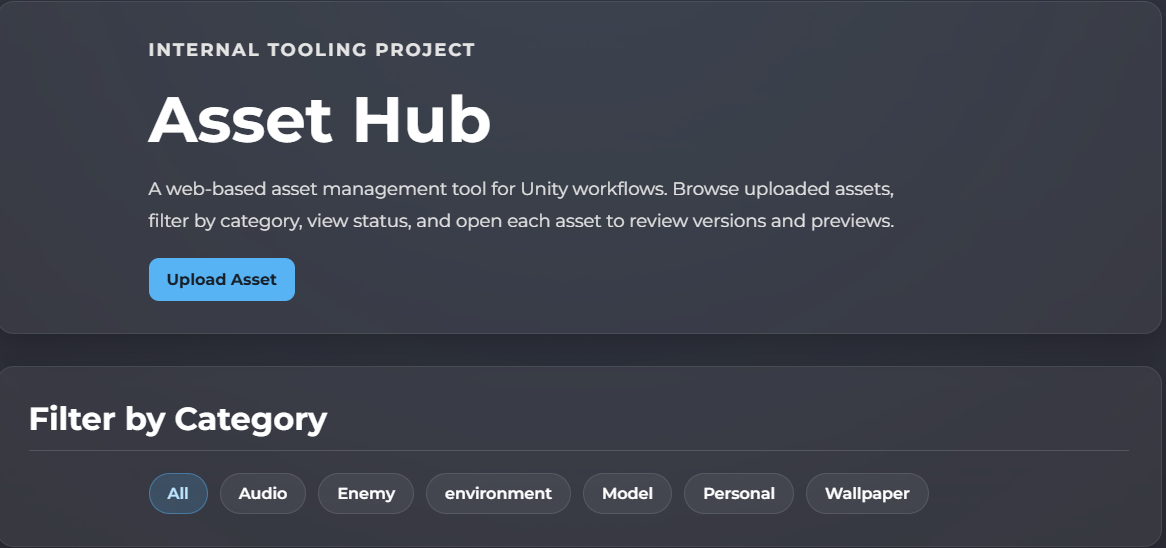
Asset Hub was created as a tooling project focused on bridging web systems and game engine workflows. The website allows assets to be uploaded, categorised, versioned, previewed, and approved, while the Unity Editor tool connects to the site API to browse and import approved assets directly into the project.
The goal of the project was to build something closer to a real internal production tool rather than a standalone editor extension. Instead of keeping asset management entirely inside the engine, the system separates workflow responsibilities between a browser-based management layer and an engine-side import layer.
This makes the tool useful for testing pipeline thinking, web-to-engine integration, version tracking, and workflow design for teams that need a cleaner way to manage shared content.
Why I Made It
I built Asset Hub to demonstrate a wider tooling skillset beyond Unity gameplay programming. I wanted a project that showed I could work across backend development, frontend workflow tools, database structure, API design, and engine integration in one connected system.
In many projects, assets are often spread across folders, cloud drives, chats, or ad hoc workflows, which can make it difficult to know which version is current, whether an asset is approved, or whether a local file is out of date. Asset Hub was designed to solve that problem with a more structured workflow.
It was also built as a portfolio project that reflects the sort of internal tools and pipeline systems used in professional game development environments.
Key Features
- Upload and manage assets through a browser-based web interface
- Store asset metadata and version history in MySQL
- Approval workflow with draft, review, approved, and deprecated states
- Category-based organisation and filtering
- Preview support for images, audio, and supported 3D model formats in the browser
- REST-style PHP API endpoints for Unity integration
- Custom Unity Editor window for browsing approved assets
- Import assets directly into Unity project folders by asset type
- Track imported asset versions locally inside Unity
- Detect whether assets are not imported, up to date, or have updates available
How It Works
On the website side, assets are uploaded to the server and stored in a structured folder layout, while metadata such as asset type, category, description, status, and version information is stored in a MySQL database.
Each asset has its own detail page where versions can be reviewed, previewed, and moved through the approval workflow. Only approved assets are exposed to the Unity tool through the API, which helps keep the Unity side focused on production-ready content.
Inside Unity, the custom Editor window connects to the API, loads approved assets, and presents them in a searchable and filterable list. Developers can then import selected assets directly into the project, with files automatically placed into appropriate folders such as models, textures, audio, or documents.
The Unity tool also stores local metadata so it can compare imported versions against the latest approved version online. This allows it to show whether an asset is already imported, up to date, or needs updating.
How It Can Be Used
Asset Hub is designed to support a simple but useful production loop:
- Upload a new asset through the web tool
- Add metadata, description, category, and version notes
- Preview the asset in the browser
- Review and change its workflow status
- Mark it as approved once ready for use
- Refresh the Unity Editor tool
- Browse or search approved assets in-editor
- Import the asset into the Unity project
- Detect future updates when newer versions are uploaded
This makes it useful as a lightweight internal pipeline tool for asset review and engine integration, while also serving as a strong example of full-stack tooling for games.
Technical Focus
The project combines multiple areas of development into one workflow-focused system. On the web side, it uses PHP for backend logic, MySQL for asset and version data, HTML/CSS for the interface, and JavaScript with Three.js for browser-based previews.
On the Unity side, the tool uses C# editor scripting, UnityWebRequest, async/await, local metadata tracking, and import automation to connect the engine to the web pipeline.
The project is particularly focused on internal tools design, asset workflows, web APIs, version handling, and practical usability for content-heavy Unity projects.
What This Project Demonstrates
- Full-stack web tool development
- Unity Editor tooling and workflow automation
- REST API design and engine integration
- Database-driven asset management
- Version tracking and update detection
- Production-focused technical problem solving
- Cross-discipline tooling thinking for game development workflows